
Store Submission
iOS Privacy Manifest: The 2026 Developer Guide to xcprivacy and Required-Reason APIs
PrivacyInfo.xcprivacy explained for 2026 — the five required-reason API categories, SDK signing rules, the three ITMS rejection codes, Xcode's privacy report, and a 15-minute audit.
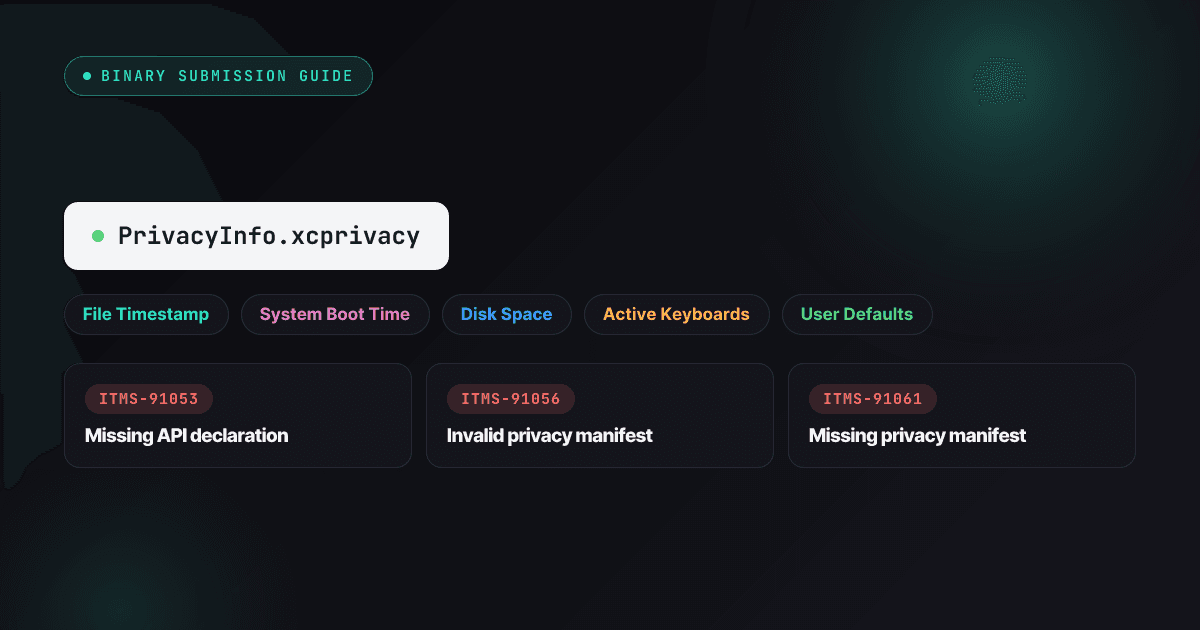
Two years into enforcement, the Privacy Manifest is still one of the most reliable ways to lose a release week. The pattern is always the same: your code is fine, your intentions are fine, and an analytics SDK three levels down your dependency tree calls a timestamp API it never declared — and the submission bounces with an ITMS code naming a framework you forgot you shipped.
This is the working guide to the whole system as it stands in 2026: what PrivacyInfo.xcprivacy declares, the five required-reason API categories, the SDK signing rules that arrived with enforcement, the three ITMS rejection codes and their distinct fixes, and a 15-minute pre-submission audit that catches nearly all of it. The broader rejection landscape lives in the 80+ rejection index.
What a Privacy Manifest actually is
A property list named PrivacyInfo.xcprivacy, shipped inside your app — and inside every framework your app bundles — declaring four things:
NSPrivacyTracking— whether this code tracks users, in Apple’s specific ATT sense.NSPrivacyTrackingDomains— the network domains contacted for tracking; iOS actually blocks these until ATT consent.NSPrivacyCollectedDataTypes— what user data is collected, whether it’s linked to identity, and why.NSPrivacyAccessedAPITypes— which required-reason API categories the code touches, with approved reason codes.
The timeline, for context: Apple announced manifests and SDK signatures at WWDC23, began enforcement on May 1, 2024, and has held the line since — the five API categories have stayed stable through 2026 while reason codes get added occasionally. The unit of enforcement is the layer: your manifest doesn’t cover your SDKs, and an SDK’s manifest doesn’t cover you. Every bundle declares its own behavior.
The 5 required-reason API categories
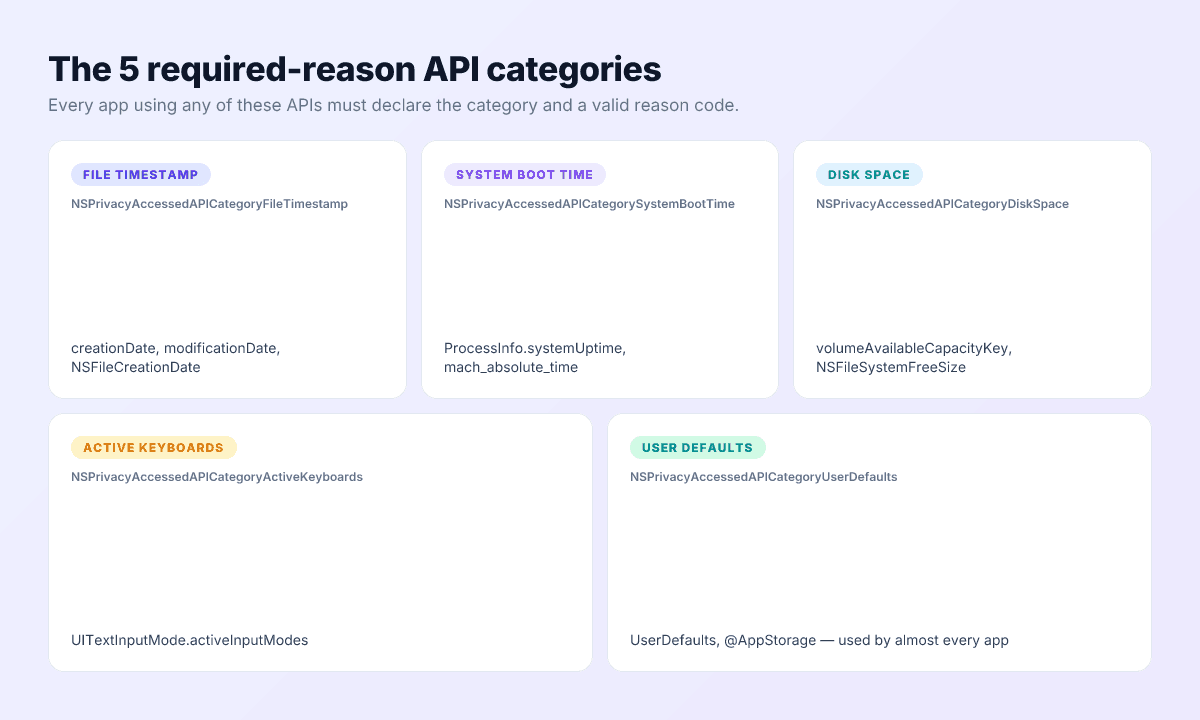
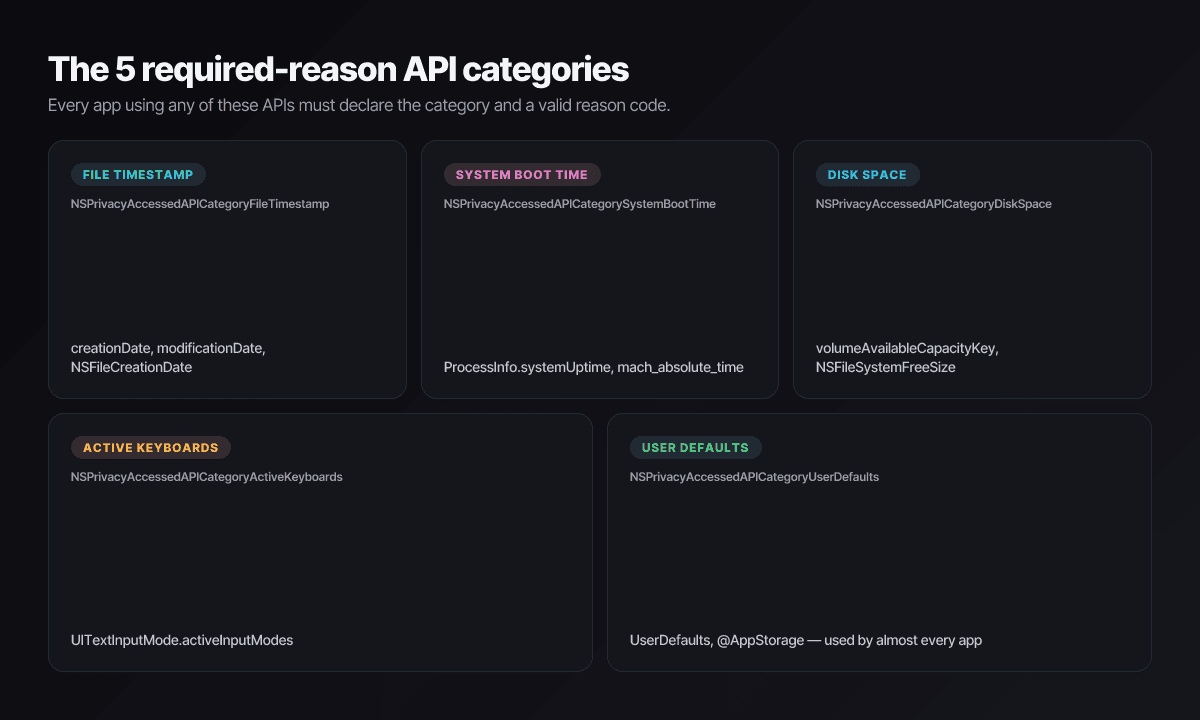
Five families of APIs can fingerprint devices, so each use requires a declared, Apple-approved reason. Static analysis finds undeclared use at upload time — this is not a human-judgment check.
| Category | Covers | Common triggers |
|---|---|---|
...FileTimestamp | File creation/modification dates | creationDate, NSFileCreationDate, logging and cache libraries |
...SystemBootTime | Uptime and boot-time reads | ProcessInfo.systemUptime, mach_absolute_time(), performance SDKs |
...DiskSpace | Free/total disk queries | volumeAvailableCapacityKey, download managers, media caches |
...ActiveKeyboards | Listing active keyboards | UITextInputMode.activeInputModes, language-detection code |
...UserDefaults | Reading/writing defaults | UserDefaults, @AppStorage — effectively every app and most SDKs |
Each category takes one or more reason codes from Apple’s canonical list — for user defaults, for example, CA92.1 covers accessing your own app’s defaults, with separate codes for app-group sharing and SDK scenarios. The authoritative reference is Apple’s required-reason API documentation, which is where new reason codes appear first.
The xcprivacy file structure
A minimal, correct manifest for an indie app that stores settings in UserDefaults and collects an email for sign-in:
<?xml version="1.0" encoding="UTF-8"?>
<!DOCTYPE plist PUBLIC "-//Apple//DTD PLIST 1.0//EN"
  "http://www.apple.com/DTDs/PropertyList-1.0.dtd">
<plist version="1.0">
<dict>
  <key>NSPrivacyTracking</key>
  <false/>

  <key>NSPrivacyTrackingDomains</key>
  <array/>

  <key>NSPrivacyCollectedDataTypes</key>
  <array>
    <dict>
      <key>NSPrivacyCollectedDataType</key>
      <string>NSPrivacyCollectedDataTypeEmailAddress</string>
      <key>NSPrivacyCollectedDataTypeLinked</key>
      <true/>
      <key>NSPrivacyCollectedDataTypeTracking</key>
      <false/>
      <key>NSPrivacyCollectedDataTypePurposes</key>
      <array>
        <string>NSPrivacyCollectedDataTypePurposeAppFunctionality</string>
      </array>
    </dict>
  </array>

  <key>NSPrivacyAccessedAPITypes</key>
  <array>
    <dict>
      <key>NSPrivacyAccessedAPIType</key>
      <string>NSPrivacyAccessedAPICategoryUserDefaults</string>
      <key>NSPrivacyAccessedAPITypeReasons</key>
      <array>
        <string>CA92.1</string>
      </array>
    </dict>
  </array>
</dict>
</plist>
Reading it top to bottom:
- No tracking, therefore no tracking domains — the two keys travel together, and a
truewith an empty domain list is itself a validation problem. - One collected data type (email), linked to identity, not used for tracking, collected for app functionality. These three attributes per data type are what must reconcile with your App Privacy label.
- One API declaration: user defaults with
CA92.1— the “our own defaults” reason. Pick the code that matches reality; reviewers and tooling both check plausibility.
Create the file in Xcode (File → New → File → App Privacy) and edit it with Xcode’s structured editor rather than a text editor — most ITMS-91056 malformations are hand-edited plists.
The SDK side (the part most teams miss)
Your own code is a twenty-minute audit. The dependency tree is where rejections actually come from, because every CocoaPod, Swift package, and .xcframework needs its own manifest — on the vendor’s release schedule, not yours.
The commonly-used SDK list
Apple maintains a list of roughly 85 SDKs — the analytics, ads, crash-reporting, attribution, auth, and payments layer of the ecosystem — for which manifests are mandatory and, when used as binary dependencies, signatures too. Firebase, Crashlytics, Google Mobile Ads, FBSDKCoreKit, Adjust, AppsFlyer, Branch, OneSignal, Stripe, RevenueCat: if it’s a household name in mobile infrastructure, assume it’s on the list and check the canonical version on Apple’s third-party SDK requirements page.
Checking a dependency in 30 seconds
- Show Package Contents on the
.framework/.xcframework(or open the Swift package’s resources) and look forPrivacyInfo.xcprivacy. - No manifest? Check the vendor’s changelog — most maintained SDKs added one during 2024, so being current usually means being covered.
- Still nothing? You’re holding an unmaintained dependency, and the manifest is the least of its problems.
When the vendor never shipped one
Three options, in order: update, replace, or vendor a manifest into the framework bundle yourself — writing the declarations the SDK’s code actually needs and re-signing. The third keeps a release moving; it also makes you the permanent maintainer of someone else’s privacy surface, which is the argument for option two.
Manifests and signatures travel together
App Privacy label vs Privacy Manifest
| App Privacy label | Privacy Manifest | |
|---|---|---|
| Lives | App Store Connect | Inside the binary |
| Read by | Users, on the product page | Apple’s review tooling |
| Vocabulary | Consumer data categories | API categories, data types, domains |
| Changes via | Console edit | New build |
Both are mandatory, and review reconciles them. A label claiming “Data Not Collected” over a manifest declaring collected data types is a 5.1.1 rejection with no further investigation needed — and the same mismatch in the other direction reads as an under-declared label. Write the truth once (what does this app and its SDKs actually collect?) and derive both artifacts from it. Google’s equivalent declaration, the Data safety form, gets the same treatment in the cross-store comparison.
The 3 rejection codes you’ll see
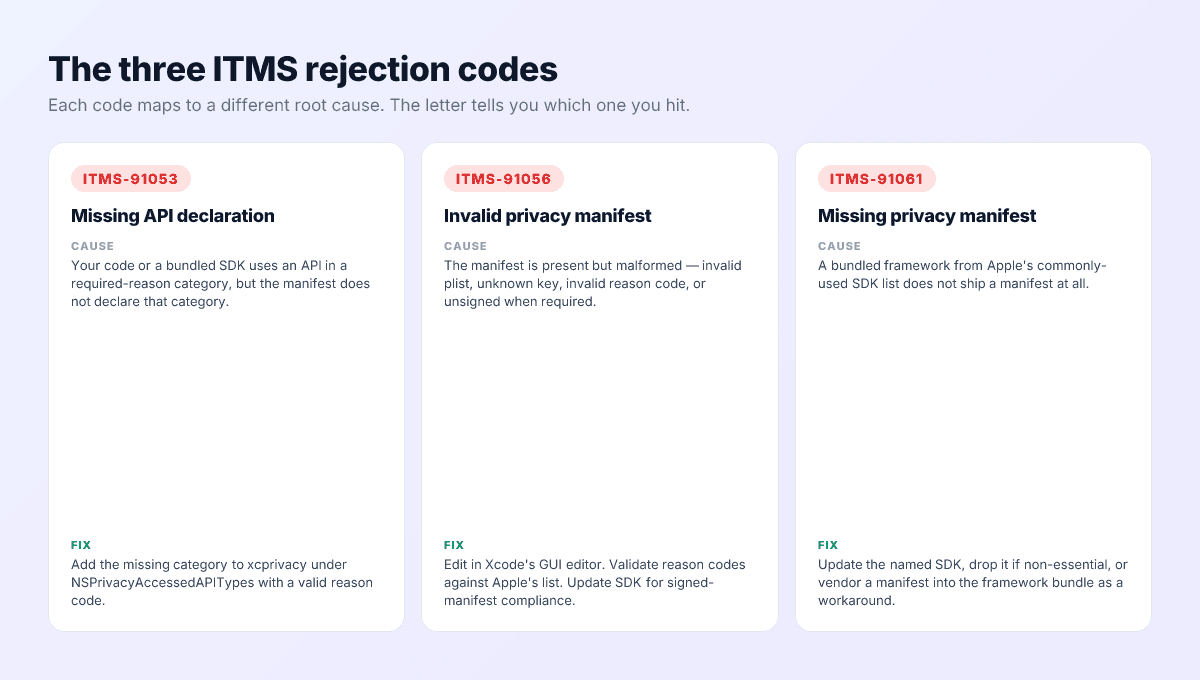
ITMS-91053 — missing API declaration
Code somewhere in the binary calls a required-reason API the manifest doesn’t declare. The email names the category and, usually, the offending framework. Fix: add the category with the correct reason code — to your manifest if it’s your code, via an SDK update if it’s theirs.
ITMS-91056 — invalid privacy manifest
The manifest exists and is wrong: malformed plist, unknown key, invalid reason code, or signing problems on a listed SDK. Fix: re-open in Xcode’s structured editor, validate codes against the canonical list, and prefer vendors’ signed releases.
ITMS-91061 — missing privacy manifest
A bundled framework from the commonly-used list ships no manifest at all. The letter names it. Fix: update, replace, or vendor — the SDK-side section above, in that order.
Pre-submission workflow
Fifteen minutes, five steps, most rejections prevented:
- Grep your own code for the category triggers —
UserDefaultsand@AppStorage, file timestamp properties,systemUptime, disk-capacity keys — and confirm each hit is declared. - Update your app’s manifest in the Xcode editor: API categories with reason codes, data types with purposes, tracking state with domains.
- Sweep the dependency tree: manifest present in every bundled framework, signed releases for anything on Apple’s list, updates queued for stragglers.
- Read Xcode’s aggregated privacy report. Archive the app, right-click the archive in Organizer, and generate the privacy report — Xcode merges every manifest in the build into one document. It’s the fastest way to see your app the way review tooling sees it, and to spot an SDK declaring things your label doesn’t.
- Diff that report against your App Privacy label in App Store Connect, then run the Pre-Flight Scanner on the final
.ipa— it flags undeclared required-reason usage across your code and SDKs, plus the malformed-manifest cases, before Apple does.
This slots into the binary section of the 9-minute pre-flight checklist.
Cross-platform — React Native, Flutter, Unity
Enforcement reads the compiled binary, so the framework changes nothing about the requirement — only about where the gaps hide.
React Native ships a base manifest since 0.74 and aggregates app-level declarations; the exposure is native modules in node_modules, which range from exemplary to abandoned. Audit anything with an ios/ directory.
Flutter has shipped its own manifest since 3.19. Pub.dev plugins with native iOS code are the gap — popular ones are covered, long-tail ones often aren’t.
Unity covers the engine and first-party packages from 2022.3 LTS onward; the recurring offender is third-party ad-mediation adapters, which combine maximum required-reason API usage with minimum maintenance.
The debugging loop is identical everywhere: the ITMS letter names the framework, you trace it to the plugin that vendored it, and you update, replace, or vendor. The aggregated Xcode privacy report from the workflow above shortens that trace considerably.
Automate the Privacy Manifest audit
Push My App’s Pre-Flight Scanner inspects every .ipa for required-reason API usage across your code and bundled SDKs, cross-checks the shipped PrivacyInfo.xcprivacy, and names the exact category, framework, or reason code that would draw an ITMS rejection — before you upload. Pair with the 9-minute pre-submission checklist and see pricing for plans.
Frequently asked questions
Do I need a Privacy Manifest if my app collects no user data?
Almost certainly yes, because the manifest also covers required-reason API usage — and nearly every iOS app touches at least one category. UserDefaults alone (including SwiftUI's @AppStorage) puts you in scope. Data collection is one section of the manifest; API declarations are another, and the second applies to virtually everyone.
An SDK I use doesn't ship a manifest. What are my options?
In order of preference: update it (most maintained SDKs shipped manifests during 2024), replace or drop it (a dependency without a manifest in 2026 is usually an unmaintained dependency), or vendor a PrivacyInfo.xcprivacy into the framework bundle yourself as a stopgap. If the SDK is on Apple's commonly-used list, the submission will also want the SDK's signature when used as a binary dependency.
Is the Privacy Manifest the same thing as the App Privacy label?
No — they're two views of the same truth. The label is user-facing, lives in App Store Connect, and uses Apple's consumer data categories. The manifest is machine-facing, lives in the binary, and declares API categories, data types, and tracking domains. Review cross-checks them; a disagreement between the two is a guideline 5.1.1 rejection on its own.
Does this apply to React Native, Flutter, and Unity apps?
Fully. Enforcement happens against the compiled binary, so the framework is irrelevant. Modern versions of all three ship base manifests (React Native since 0.74, Flutter since 3.19, Unity since 2022.3 LTS); the risk concentrates in community plugins, which lag. Audit every plugin that contains native iOS code.
How often does the manifest need updating?
Whenever your dependency list, data collection, or API usage changes — in practice, audit it once per release alongside metadata. It's binary-bound, so a fix always means a new build and submission; there's no console-side edit, which is exactly why catching problems pre-upload matters.
Ship your listing without the rejection letter
Push My App generates store-ready metadata, resizes screenshots for every device, translates your listing into 14 languages, and runs an 80+ item rejection pre-flight before you submit.
Get Started FreeKeep reading
Store Submission
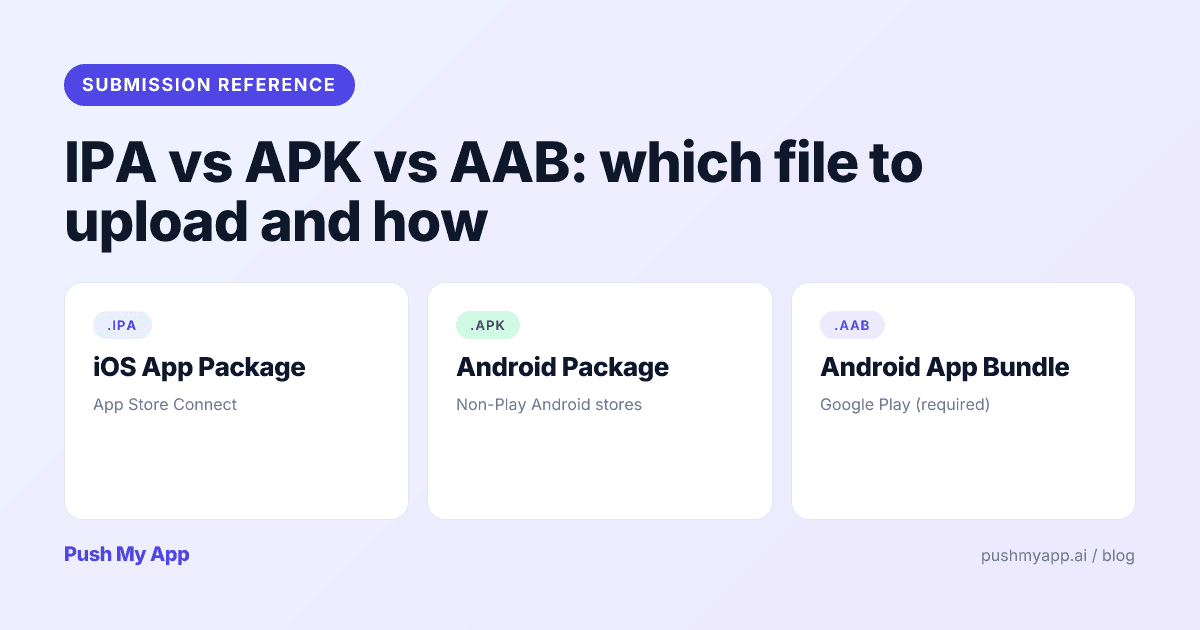
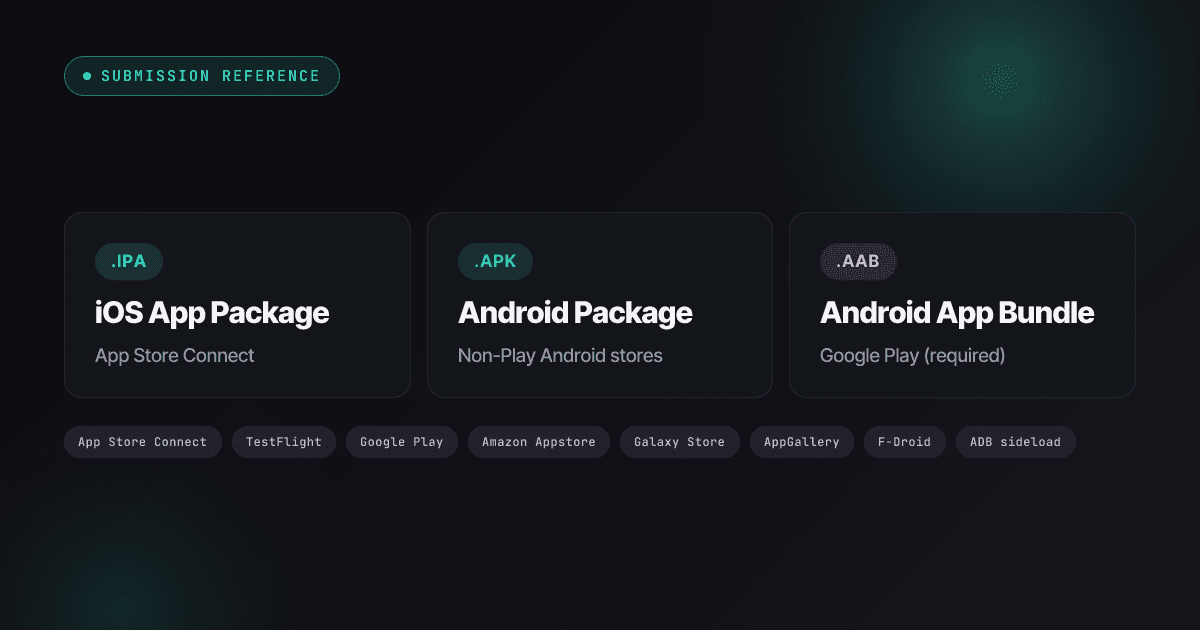
IPA vs APK vs AAB: Which File to Upload and How (2026)
What IPA, APK, and AAB files actually are, which store takes which in 2026 — including the Xcode 26 mandate, API 36 deadline, Amazon's Android exit — and the signing model behind each.
Read
Store Submission
TestFlight vs Google Play Internal Testing: A 2026 Cross-Platform Beta Guide
TestFlight vs Google Play testing tracks in 2026 — tester limits, review gates, the 12-tester production requirement, build lifetimes, and one workflow that runs both betas in parallel.
Read
App Store Rejections
App Store Review Pre-Flight: A 9-Minute Checklist Before You Hit Submit
Nine one-minute checks that catch most App Store and Google Play rejections before reviewers do — updated for the Xcode 26 mandate, age-rating gates, and 2026 compliance fields.
Read