
ASO Guides
App Store vs Google Play: Side-by-Side Listing Requirements (2026)
Every App Store and Google Play listing requirement compared for 2026 — metadata limits, assets, privacy forms, SDK floors, review gates, trader status, and account rules.
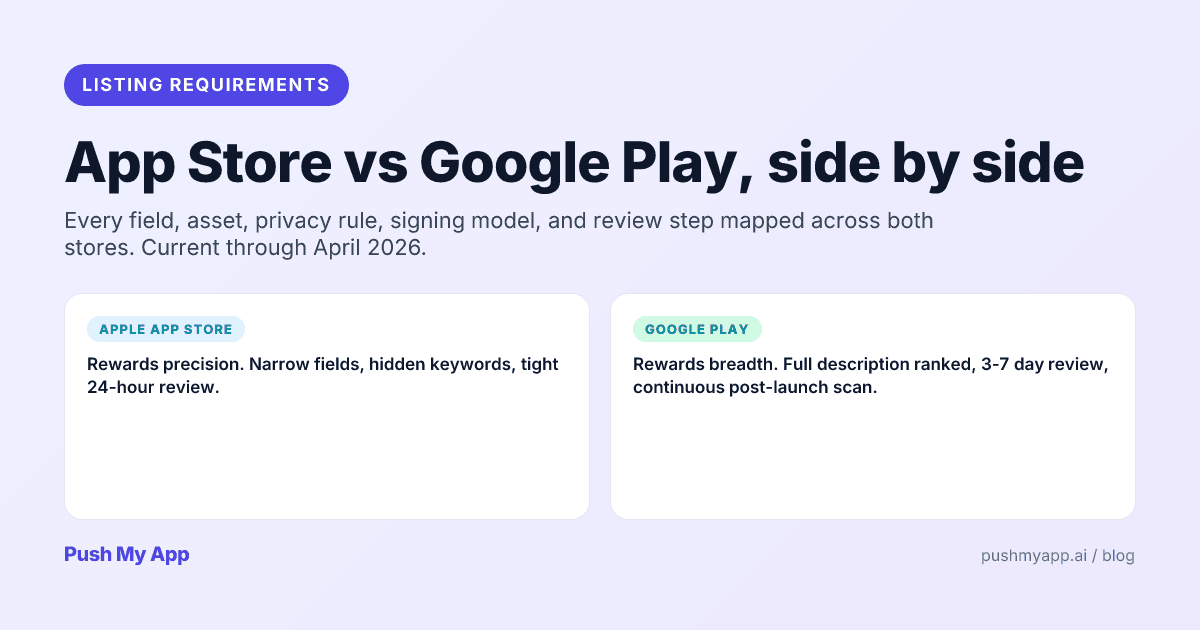

Shipping one app to both stores means satisfying two rulebooks that look like cousins and behave like strangers. The fields have different limits, the privacy forms speak different taxonomies, the review queues run on different clocks — and both rulebooks changed materially across 2025 and 2026, which quietly obsoleted most side-by-side guides.
This is the current mapping, requirement by requirement. The organizing difference to hold onto: Apple rewards precision, Google rewards declarations. Apple gives you small, exact fields (a hidden 100-character keyword string, a 30-character subtitle) and judges craft; Google indexes everything users read but audits what you declare — data safety, permissions, target SDKs — with automation that never sleeps.
Tactics for both stores live in the ASO playbook; the table below is the one-screen answer.
Quick-reference table
| Requirement | Apple App Store | Google Play |
|---|---|---|
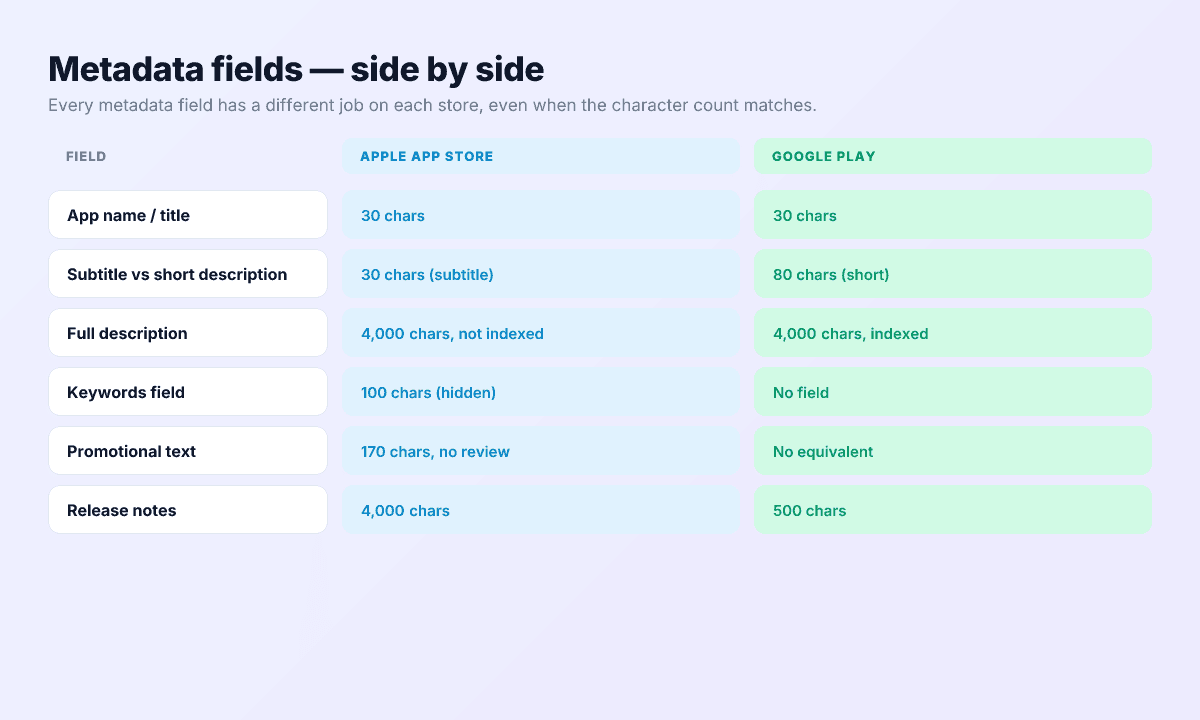
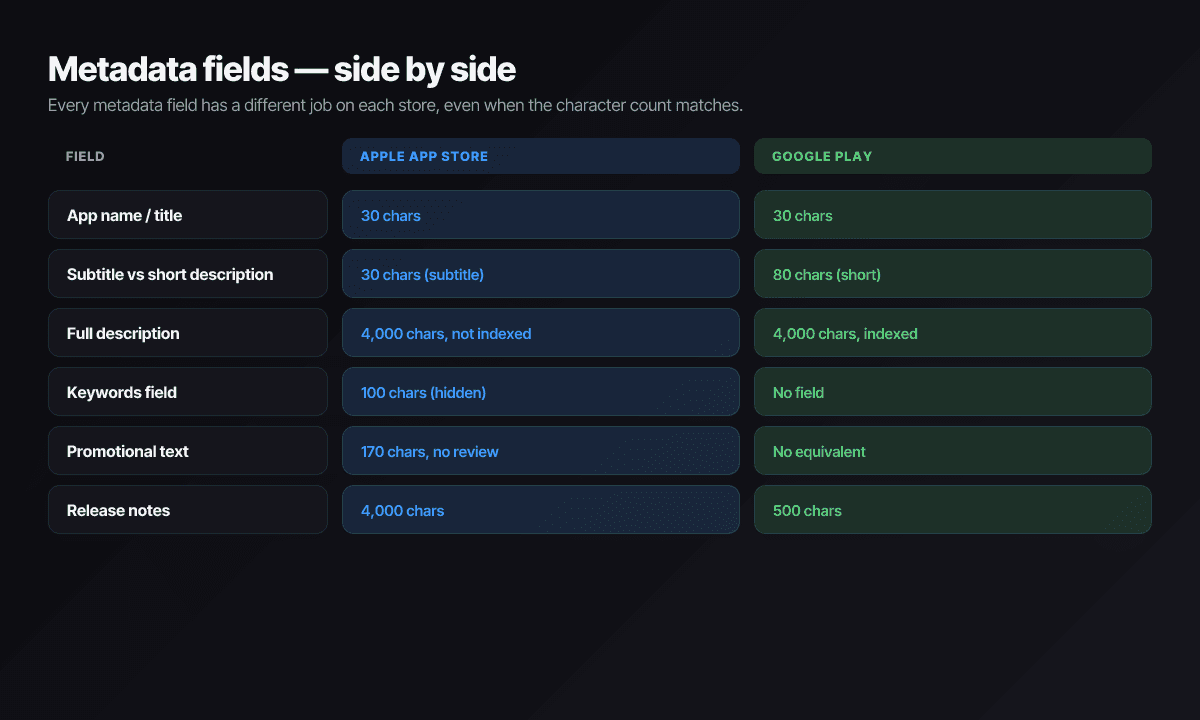
| App name / title | 30 characters | 30 characters |
| Subtitle / short description | 30 chars, ranked | 80 chars, ranked |
| Description | 4,000 chars, not ranked | 4,000 chars, ranked |
| Keywords field | 100 hidden chars | None — description carries keywords |
| Promotional text | 170 chars, editable without review | No equivalent |
| Release notes | 4,000 chars | 500 chars |
| Icon | 1024×1024 PNG, no alpha | 512×512 32-bit PNG |
| Feature graphic | — | Required, 1024×500 |
| Screenshots | 6.9″ class required (1–10); iPad 13″ if supported | 2–8 per type; 4+ at 1080px for featuring |
| Preview video | Up to 3 per class, 15–30s, uploaded | 1 YouTube link, 30s–2min |
| Privacy declaration | Privacy label + Privacy Manifest | Data safety form + deletion URL |
| Binary | .ipa, built with Xcode 26 (since Apr 2026) | .aab, target API 35 (36 from Aug 31, 2026) |
| Signing | Distribution cert + profile | Upload key + Play App Signing escrow |
| New-app review | ~24 hours typical | Days; plus 12-tester gate for new personal accounts |
| Account cost | $99/year | $25 once |
Metadata — field-by-field
Title — 30 characters on both
One brand-plus-descriptor name serves both stores since Play matched Apple’s 30-character cap. Both index it heavily; both reject trademarks you don’t own — including, since Apple’s November 2025 guideline update, other developers’ brand and product names specifically.
Subtitle vs short description
Apple’s 30-character subtitle is a ranking surface second only to the title. Google’s 80-character short description is both ranked and the conversion hook rendered above the fold. They deserve separate drafts, not a crop of one another — the subtitle helper covers patterns for both.
Description — same field, opposite physics
Apple ignores the description for ranking; Google indexes all 4,000 characters. The practical split: write the Apple description purely for human persuasion, then produce a Play variant where the same copy works your target queries in naturally. One description shipped identically to both is leaving something on the table at each store — the indexing map shows exactly where each word counts.
Fields with no twin
The iOS keywords field (100 hidden characters) and promotional text (170 characters, editable without review) have no Play equivalents; Play’s ranked description has no Apple equivalent. Budget per-store writing time accordingly: keywords get researched (the character counter validates the limit), promotional text stays evergreen per the promotional text guide.
Release notes
4,000 characters on Apple, 500 on Play, ranked on neither. Write the 500-character version first — if it can’t say why a user should update in 500 characters, more room won’t save it. The release notes guide covers the craft.
Visual assets — what each store requires
Icons
Apple: 1024×1024 PNG, alpha forbidden, system applies the mask — with iOS 26’s Liquid Glass appearance modes rewarding layered masters. Google: 512×512 32-bit PNG, full-square art that Play masks itself. One layered master exports both via the icon resizer; the icon design guide covers the craft rules.
Screenshots
Apple requires one set in the 6.9-inch class — 1320×2868, 1290×2796, or 1260×2736 all qualify — and auto-scales every smaller iPhone; iPad apps add a 13-inch set (2064×2752 or 2048×2732). Counts run 1–10. Play takes 2–8 per device type anywhere from 320 to 3840 pixels per side, but featuring eligibility wants four or more at 1080 px in 16:9 or 9:16. Full dimensions live in the 2026 sizes reference.
Feature graphic and video
Play’s mandatory 1024×500 feature graphic has no Apple twin and its own content rules (no device mocks, no CTA text). Video inverts the model: Apple takes up to three uploaded 15–30 second previews per device class at exact resolutions (886×1920 for iPhone), captured from the real app; Play takes one YouTube URL of 30 seconds to 2 minutes.
Privacy declarations — both required, each different
Apple: label + manifest, cross-checked
The App Privacy label is filled in App Store Connect; the PrivacyInfo.xcprivacy manifest ships inside the binary (and inside your SDKs) declaring data collection and required-reason API use. Review compares the two against observed behavior — disagreement is a guideline 5.1.1 rejection, decoded in the privacy manifest guide. Since November 2025, sharing personal data with third-party AI also requires explicit user permission.
Google: the Data safety form, audited
Play’s form asks what you collect, why, whether it’s shared, and how users get it deleted — including a web deletion URL for any app with accounts. Play’s automation then audits your actual traffic against the answers, indefinitely. The mismatch — an analytics SDK you forgot — is the most common way a live Android app gets a policy email.
Do one honest audit of every network request your app and SDKs make, then fill both forms from it. The forms differ; the truth underneath them shouldn’t.
Binary format and signing
Apple
A signed .ipa from Xcode — and since April 28, 2026, it must be built with Xcode 26 and the iOS 26 SDK (deployment targets can stay older). Signing is a distribution certificate plus provisioning profile, fully recoverable if lost.
A signed .aab, target API 35 today and API 36 from August 31, 2026, with 16 KB-aligned native libraries since November 2025. Signing splits across two keys: your upload key, and the app signing key Google escrows under Play App Signing — which is what makes a lost upload key survivable. The binary formats deep-dive covers both pipelines end to end.
Review process and account gates
Apple: fast gate, human judgment
Automated static checks, then a human reviewer with your app on real hardware for a few minutes. Most submissions resolve in about a day; rejections arrive in Resolution Center with a guideline number. The judgment-heavy categories — design quality, business model, metadata accuracy — are where Apple spends its attention.
Google: slow gate, permanent surveillance
Pre-launch device testing, policy scans, and human review where flagged — days for new apps, faster for updates. Two structural differences: new personal accounts (post-November 2023) must pass the 12-tester, 14-day closed testing gate before production exists for them at all, and Play keeps scanning after launch — live apps get pulled for policy violations that pass review.
Same binary, different verdicts
Release mechanics and launch order
Approval isn’t release — and the two stores hand you different throttles for the moment after the green light.
- Apple: release immediately on approval, manually on your chosen day, or via phased release, which ramps automatic updates to existing users over seven days while new downloads get the new version at once. Phased release can be paused mid-ramp if crash rates spike.
- Google: staged rollout by percentage — ship to 5% of users, watch the vitals, dial up to 20%, 50%, 100% on your own schedule. Finer-grained than Apple’s curve and pausable the same way.
For a synchronized cross-store launch, the ordering that works: start the Play closed test early (the 14-day gate for new personal accounts makes Android the schedule’s long pole), submit Apple with manual release selected once the Android clock is running, then on launch day release Apple manually and push Play’s rollout to 100%. Both listings go live within the same hour without either review queue dictating your date.
Pricing and account costs
Apple Developer Program: $99 every year, covering TestFlight, App Store Connect, and signing certificates. Let it lapse and your apps come down.
Google Play Console: $25 once, ever. The cost Google charges instead is process: identity verification for all developers, D-U-N-S for organizations, and the closed-testing gate for new personal accounts.
One more regional line item on the Apple side: EU storefronts require a verified trader status declaration under the Digital Services Act — Apple began removing non-compliant apps from EU storefronts in early 2025. And both stores now expect the updated age-rating questionnaire (Apple’s new 13+/16+/18+ tiers) to be complete before updates ship.
One dashboard or two
The default reality is two of everything: two consoles, two credential systems, two metadata sets, two privacy forms, two upload tools. Push My App collapses the listing half — metadata for both stores, both privacy declarations’ inputs, assets exported per store spec, the Pre-Flight Scanner against both rulebooks, and direct submission to App Store Connect and Play Console from one dashboard.
Ship to both stores from one place
One dashboard for both listings: AI metadata that respects every limit in the table above, screenshot and icon exports per store, pre-flight checks against both rulebooks, and direct submission. Start with the 9-minute pre-submission checklist; pricing covers the rest.
Frequently asked questions
Can I use the same app name on both stores?
Yes, and you should — both stores cap the title at 30 characters (Play matched Apple's limit back in 2021), so one brand-plus-descriptor name fits both. The trademark rules are also equivalent: nothing you don't own, on either store.
Do I need two privacy policies?
One policy URL serves both stores, but you fill out two unrelated declaration forms: Apple's App Privacy label (plus the Privacy Manifest inside the binary) and Google's Data safety form. Their category taxonomies don't map one-to-one, so do one audit of what your app and SDKs actually collect, then answer each form from that audit rather than translating answers across.
Which store reviews faster?
Apple, for new apps: most submissions clear in about a day. Play takes days for new apps and new accounts — and personal accounts created after November 2023 must first finish a 14-day closed test with 12 testers before production is even available. Updates flip the picture: both stores usually clear updates within a day, and Apple often within hours.
Can I reuse the same screenshots on both stores?
Same designs, different exports. Apple wants the 6.9-inch class (1320x2868 works everywhere); Play accepts 320 to 3840 pixels per side but reserves featuring for listings with at least four screenshots at 1080px in 16:9 or 9:16. Render one master set and export per-store variants rather than maintaining two designs.
Does a rejection on one store affect the other?
Not formally — the stores share nothing. Practically, the same root cause (a crash, an undeclared SDK, a trademark in metadata) usually violates both rulebooks, so treat any rejection as a prompt to audit the other store's submission before it finds the same issue.
Ship your listing without the rejection letter
Push My App generates store-ready metadata, resizes screenshots for every device, translates your listing into 14 languages, and runs an 80+ item rejection pre-flight before you submit.
Get Started FreeKeep reading

ASO Guides
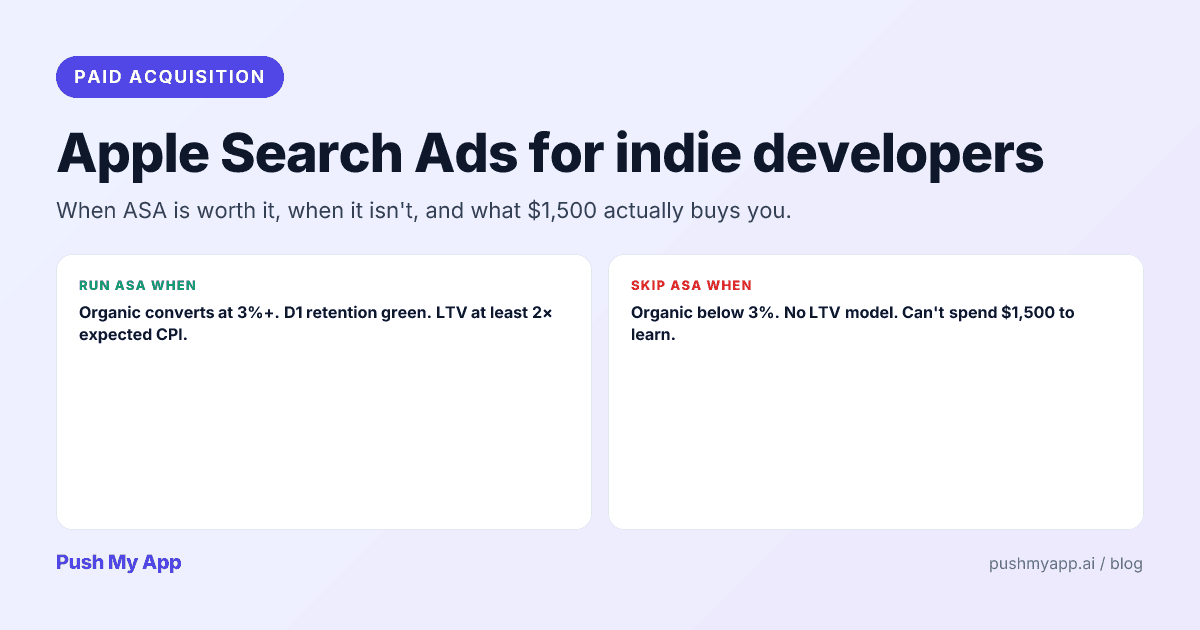
Apple Search Ads for Indie Developers: When It's Worth It (and When It Isn't)
Apple Search Ads is now Apple Ads, with four placements and the same indie question: is it worth your money yet? The readiness gate, real learning costs, and the five keywords worth bidding on.
Read

ASO Guides
App Store Review Responses: The Conversion Flywheel Nobody Owns
Developer responses render publicly next to every review — which makes them conversion copy. Reply templates for the five review types, the 48-hour window, Play's reply mechanics, and a sustainable cadence.
Read

ASO Guides
App Store Optimization for Indie Developers: The 2026 Playbook
A zero-budget ASO system for indie developers in 2026: keyword clusters, metadata that converts, screenshot strategy, localization order, the review flywheel, and a 30-day sprint.
Read