
ASO Guides
App Store Optimization for Indie Developers: The 2026 Playbook
A zero-budget ASO system for indie developers in 2026: keyword clusters, metadata that converts, screenshot strategy, localization order, the review flywheel, and a 30-day sprint.

Indie ASO is a different sport from funded-startup ASO. No ad budget to buy your way past a weak listing, no analyst to run keyword reports, nobody to delegate the screenshots to. What you have instead is the two advantages money can’t easily buy: iteration speed nobody with an approvals chain can match, and permission to target niches too specific for a growth team to justify.
This playbook is the system for converting those two advantages into installs, updated for how the stores actually behave in 2026 — conversion-weighted ranking, the 6.9-inch screenshot era, Apple Ads instead of Apple Search Ads, the post-ICP localization map, and the policy gates (age-rating questionnaires, trader status, the Play testing requirement) that now sit between an indie and a launch date.
Each step names the free tool that does its grunt work, and the whole thing compresses into the 9-minute pre-submission checklist when you just need the list.
What ASO actually means in 2026
ASO has always been two jobs wearing one name: ranking — appearing for the searches that matter — and converting — turning that visibility into installs. What changed over the last few years is that the stores stopped treating these as separate. Conversion behavior now feeds ranking directly: listings that get tapped and installed at higher rates rise, and keyword-matched listings that users scroll past sink.
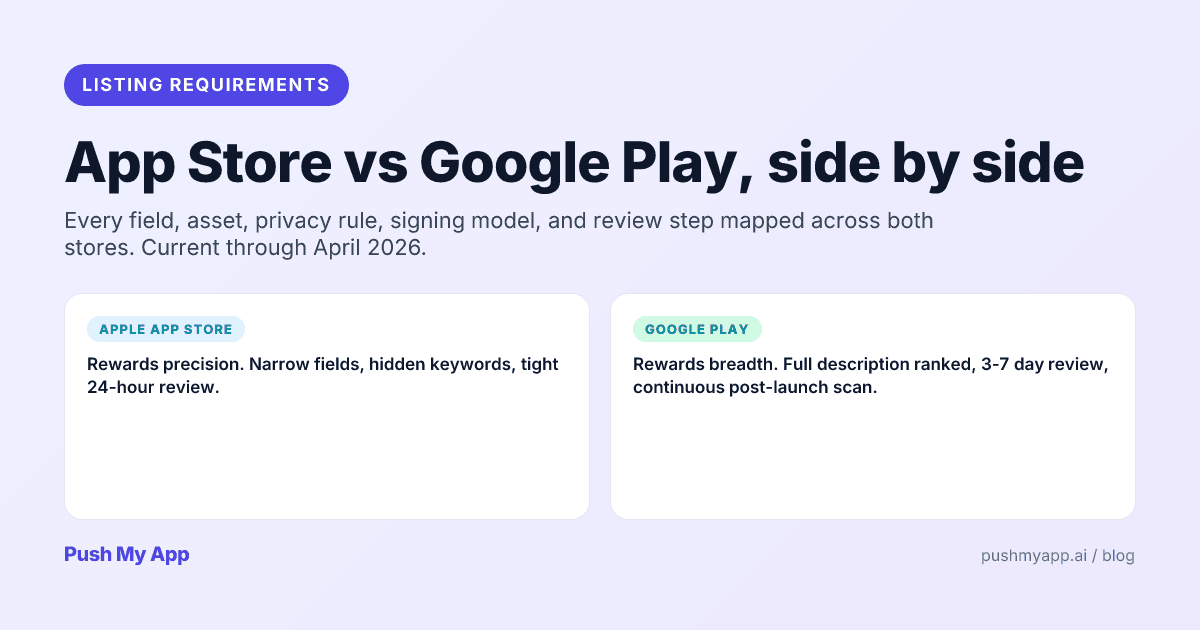
The two stores still rank differently. Apple reads a small set of precise fields — title, subtitle, the hidden 100-character keywords field, IAP names — and ignores the description entirely for ranking. Google reads everything users read, description included, and leans harder on retention. The practical split: Apple rewards precision, Google rewards breadth plus stickiness, and both reward conversion. The side-by-side requirements comparison maps every field.
Why this favors indies. Conversion-weighted ranking is a specificity contest, and specificity is the indie superpower. An app that does one job perfectly converts and retains better — for its niche — than a do-everything incumbent, and the algorithms can see it. You don’t out-spend the category leaders; you out-specific them on queries they can’t afford to care about.
The indie ASO stack: free tools + what to skip
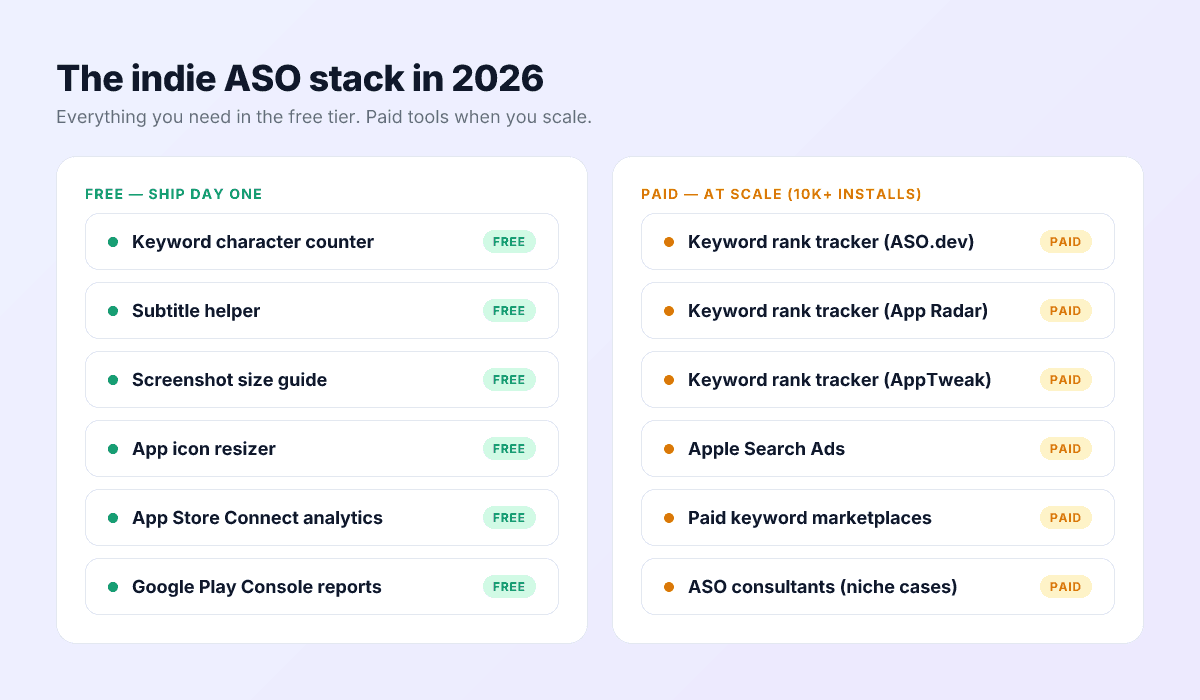
Free, from day one
- Field validation: every store limit in one place via the keyword character counter — 30-character titles and subtitles, the 100-character keywords field, Play’s 80-character short description.
- Subtitle patterns: the subtitle helper’s library of structures that survive at 30 characters.
- Asset specs: the screenshot sizes reference and icon resizer cover every 2026 dimension on both stores.
- Analytics: App Store Connect and Play Console’s native reports — genuinely sufficient until well past your first ten thousand installs.
Paid, eventually
- Rank trackers ($50–$400/month) earn their cost once you track dozens of keywords across locales. Before that, App Store Connect’s impressions data answers the only question that matters: are the three keywords you bet on moving?
- AI metadata generation ships in every Push My App plan — the ASO.dev comparison and App Radar comparison map where a dedicated platform makes sense instead.
Skip until real scale
- Apple Ads (the platform formerly named Apple Search Ads): it needs both budget and a converting organic funnel before it teaches you anything — step 6 covers when.
- ASO consultants: at indie scale the playbook is documented; you’re reading it.
Step 1 — Pick your positioning and keyword cluster
Every field you’ll write in step 2 depends on a decision most indies skip: which searches, exactly, are you trying to own? “Photo editor” is not an answer — incumbents with decade-old review counts own it. The answer is a cluster of about three terms specific enough to crack and valuable enough to matter.
Intent beats volume. A thousand monthly searches from people whose problem you exactly solve out-installs fifty thousand searches where you’re result #41. Volume you can’t rank for is a vanity metric; intent you can convert is a business.
Research like an indie. Open the top thirty apps in your category and read their titles and subtitles — that’s the keyword map of your competition, free. The apps ranked #15–#30 are your real benchmark: visibly beatable, and whatever terms they rank for are contestable. Then mine autocomplete: type your candidate prefixes into both stores and harvest what real users actually search. The keyword research playbook runs this process end to end.
Three keywords, not thirty. Your title, subtitle, and keywords field can support roughly a dozen terms, but your attention can’t. Three priority terms get the premium placements and the measurement focus; everything else exists to combine with them in multi-word queries.
Test against the product. If ranking for a term would require screenshots that oversell or a subtitle that stretches the truth, drop the term — guideline 2.3.7 rejections exist for exactly that, per the rejection index, and the users it tricks churn anyway.
The difficulty sniff test. No paid tool needed: search each candidate term and inspect the top ten results. Count review totals (six-figure review counts across the board means the term is owned), check update recency (apps not updated in a year are displaceable), and look for exact-match titles (none means nobody is seriously targeting the term yet). A term where two or three of the top ten look beatable by those measures is a candidate; a term where zero do is a donation of your ninety days to the incumbents.
The sticky-note test
Step 2 — Write metadata that converts, not just ranks
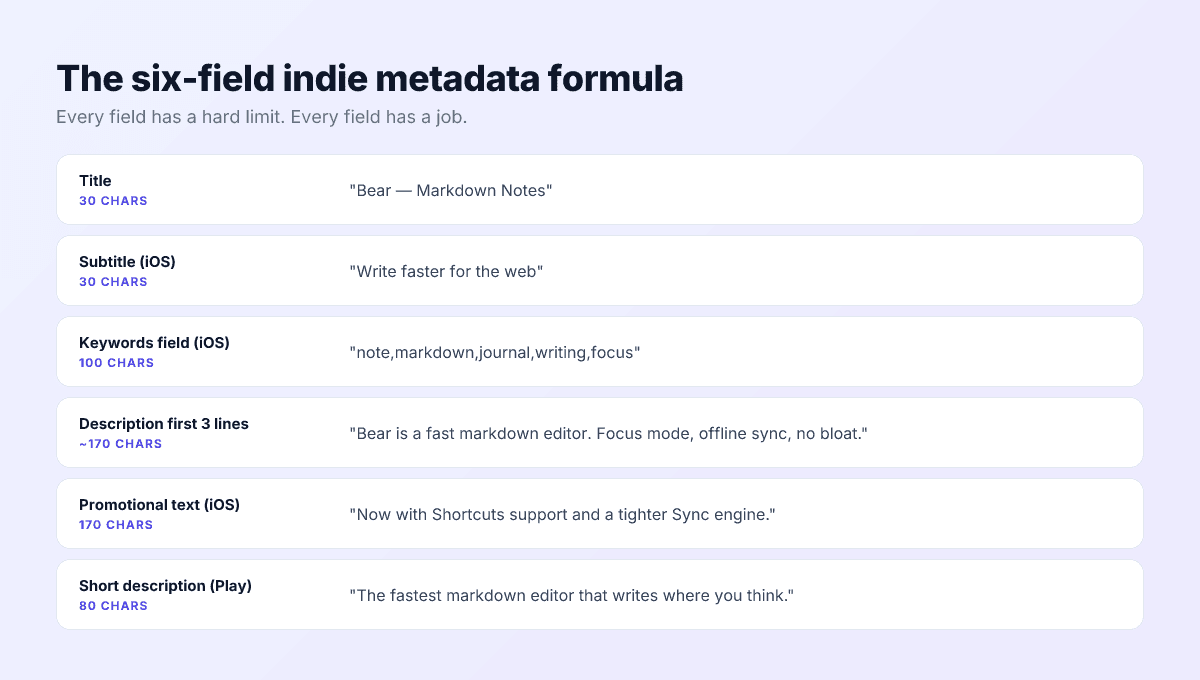
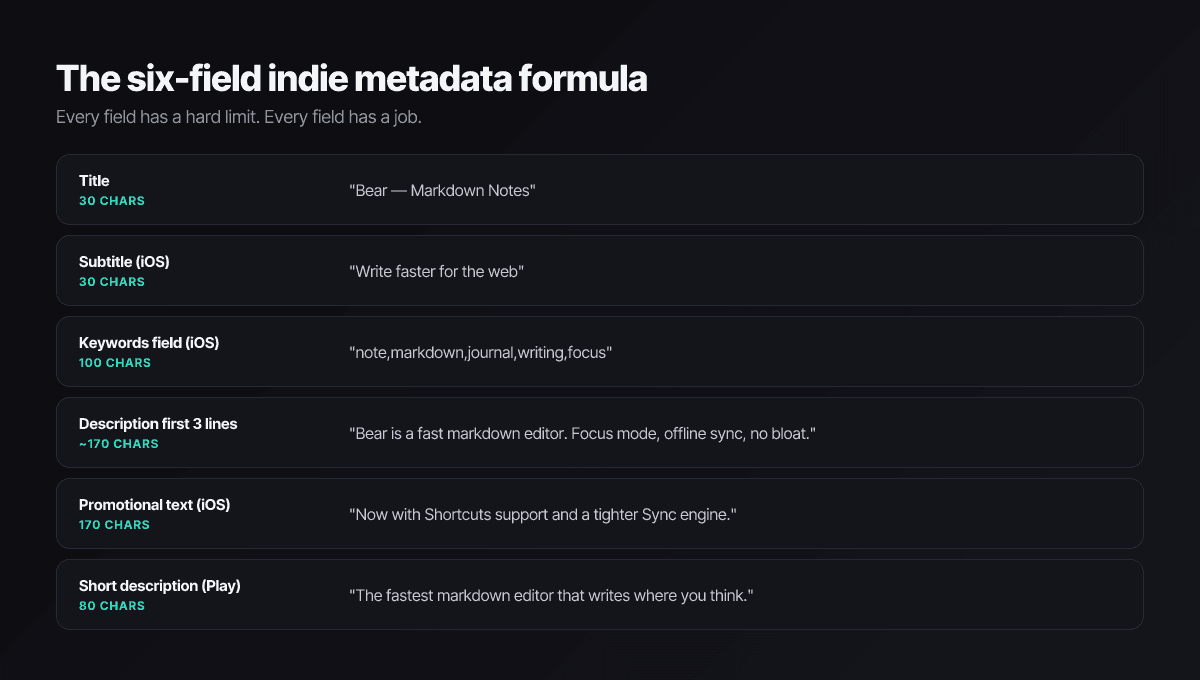
Title — 30 characters, both stores
Brand, then your single best keyword: Inkwell — Markdown Notes. Brand-first preserves repeat-search behavior; the descriptor does the ranking work. Stuffing more terms in trades credibility for nothing — both stores already weight the title so heavily that one strong term is the whole job.
Subtitle — iOS, 30 characters
The highest-leverage line on the listing: ranked nearly like the title, read like a tagline. The patterns that survive 30 characters: benefit plus audience (Write faster for the web), problem flipped to outcome (Tasks that actually get done), verb plus differentiator (Edit photos without clutter). The subtitle helper ships the pattern library.
Keywords field — iOS, 100 hidden characters
Comma-separated, no spaces, no words already in your title or subtitle, singulars only — Apple auto-matches plurals. The deeper rules (cross-localization, what auto-combines, the rejection traps) live in the keywords field deep-dive; the counter enforces the budget.
Description — write for two different stores
On Apple the description is pure conversion copy — it ranks nothing. On Google it’s also your keyword surface. Write the first three lines as the universal hook (what it is, why it’s different, what to do), because that’s all most users see before the fold on either store — then let the Play version work your terms into the long body naturally.
Promotional text — iOS, 170 characters
The only field editable without review. Evergreen positioning only — dated promotions draw 2.3.1 rejections — and a free iteration surface most indies waste. The promotional text guide covers the formula and testing cadence.
Play short description — 80 characters
Google’s above-the-fold pitch and a ranked field. One concrete benefit, no slogan-speak. It carries more conversion weight per character than anything else on the Android side.
Draft all six fields in one sitting so they read as one voice, validate the limits, ship, and then leave them alone for a measurement cycle. Push My App’s AI metadata generator produces the full set against every limit simultaneously when you want a strong first draft to edit instead of a blank page.
A worked example — all six fields, one app
A habit tracker targeting the cluster habit tracker / daily routine / streak:
- Title:
Stride — Habit Tracker(22 chars; brand plus the primary term). - Subtitle:
Daily routines that stick(25 chars; carries daily and routine, reads as a benefit). - Keywords:
streak,goal,morning,checklist,discipline,reminder,journal,minimal,focus,consistency(88 chars; no word repeats the title or subtitle, all singular). - Description hook: “Three habits, one tap each, one honest weekly review. Stride is the habit tracker for people who’ve abandoned habit trackers.” — then feature detail below the fold, with the Play version weaving the cluster terms through the long body.
- Promotional text: “Built for three-habit minimalism: log in one tap, review in ninety seconds a week, and keep streaks without the guilt mechanics.” (evergreen, no dates, no prices).
- Play short description:
Build daily habits in one tap — no streak shaming, no clutter.
Notice what the example never does: repeat a term across fields, claim a superlative, or promise anything a screenshot couldn’t prove.
Step 3 — Screenshots and icon: the conversion funnel
Once a search surfaces you, pixels take over. Users give a product page a couple of seconds before deciding — which means your first screenshot, not your description, is your real pitch.
The first screenshot answers the search. Someone who searched markdown notes should see a markdown editor — not a splash screen, not a welcome mascot. Overlay text earns its place when it answers the unspoken question in a few words: Offline first. No subscription. Stop losing receipts.
Sizes, current for 2026: one iPhone set in the 6.9-inch class (1320×2868 is the safe choice) covers every iPhone via auto-scaling; a 13-inch iPad set (2064×2752 or the older 2048×2732) if you ship iPad; for Play, 2–8 per device type with at least four at 1080 px in 9:16 to stay eligible for featuring. Full detail in the sizes reference.
The icon works at 40 pixels or it doesn’t work. One silhouette, two or three colors, no text, legible in dark mode and in iOS 26’s monochrome glass modes. The icon design guide covers the craft; the resizer handles the export matrix.
Order the set as an argument. Frames one and two carry the search-intent answer (they’re visible in results); frames three through five each prove one feature with one caption; close with credibility — a rating badge, a press quote, or the privacy promise, whichever your audience actually doubts. Users who swipe to the last frame are your highest-intent visitors; don’t spend the slot on a fourth feature they’ve already decided about.
Test on store traffic, one variable at a time. Apple’s product page optimization runs up to three treatments (icon, screenshots, previews) for up to 90 days; Play’s store listing experiments do the same job on Android. Indie-sized testing means one dimension per test — usually the first screenshot — not a matrix you lack the traffic to resolve.
Step 4 — Localize for leverage
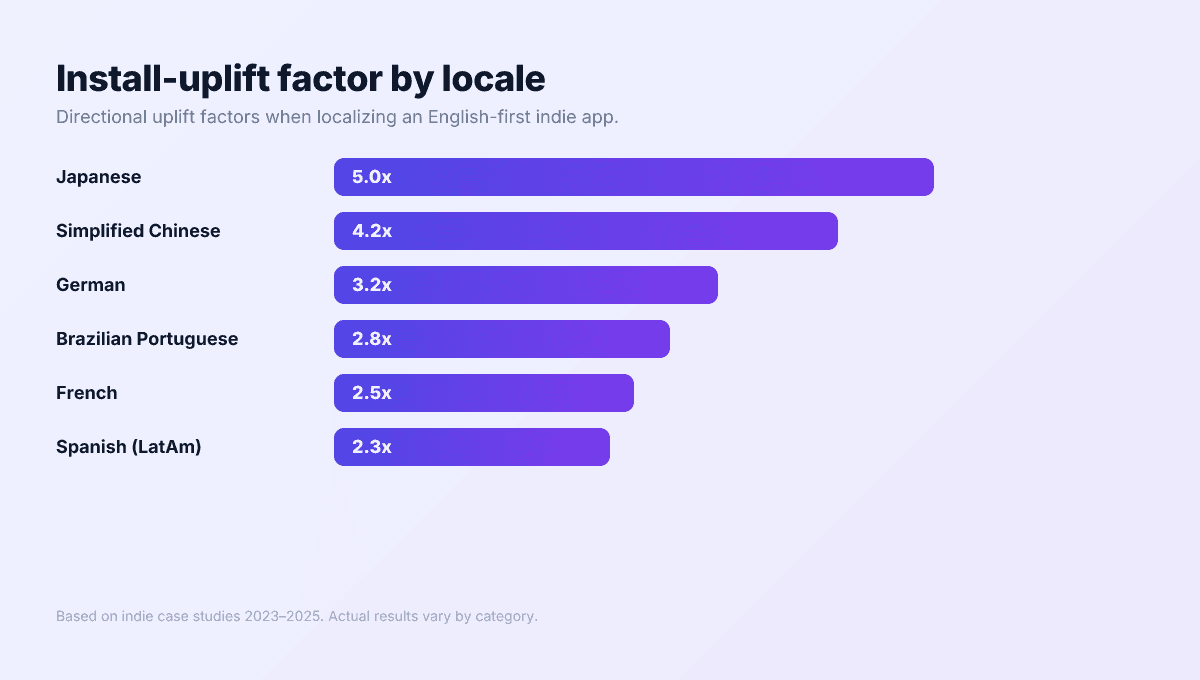
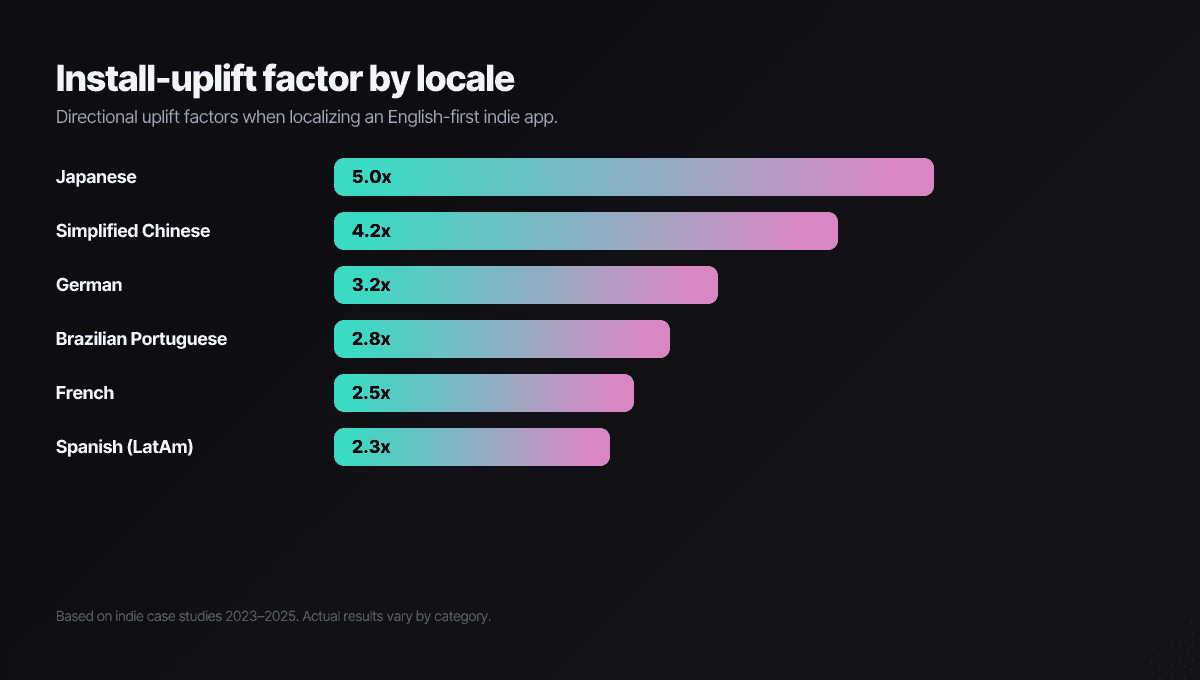
Store search is per-country. An English-only listing isn’t competing badly in Japanese search — it isn’t in Japanese search. That, plus the fact that most indie competitors never localize, is why localization consistently produces the biggest single install jump available to a small app: you’re entering markets where the indie competition mostly forgot to show up.
The starter map for English-first indies
- Japanese — the highest-spend store per user and the thinnest indie competition relative to value; polish matters disproportionately.
- German — strong purchasing power and keyword behavior (English-German mixing) that rewards real research.
- Brazilian Portuguese — large, growing, and chronically under-localized; use pt-BR, not pt-PT.
- French — France plus Canada plus francophone Africa; punishes lazy translation hardest.
- Chinese, Traditional first — mainland China’s storefront now requires an ICP filing that effectively needs a local legal entity, so the practical indie path is Traditional Chinese for Taiwan and Hong Kong, with the mainland deferred until you have entity support.
Translation is not localization
The mechanics — String Catalogs, the App Store Connect walkthrough, RTL and CJK gotchas — live in the 14-language localization guide. The automated path: Push My App’s 14-language localization rewrites metadata per market and re-researches keywords per locale in one pass.
Sequencing: localize after your English funnel converts stably — scaling a broken funnel into five markets gives you five broken funnels. Once page-view-to- install conversion holds steady, ship two locales, read the territory data for a month, then expand.
Step 5 — Build the social-proof flywheel
Ratings work on both sides of the ranking equation: stores read them as quality signals, users read them as the final word before installing. The difference between an app sitting in the low fours and one at four-and-a-half is a visible conversion gap — often bigger than any metadata change you’ll ship this quarter.
Ask at the success moment. Not first launch, never after a crash — after the user completes the job they installed you for. On iOS that’s StoreKit’s requestReview (the successor to the deprecated SKStoreReviewController), which caps at three prompts per user per year; on Android, the Play In-App Review API. Both render the native sheet users actually complete.
Never gate. The pattern of routing happy users to the store and unhappy ones to a feedback form is explicitly prohibited on both stores and recognizable on sight. Ask everyone, at the right moment, and fix what the unhappy ones say.
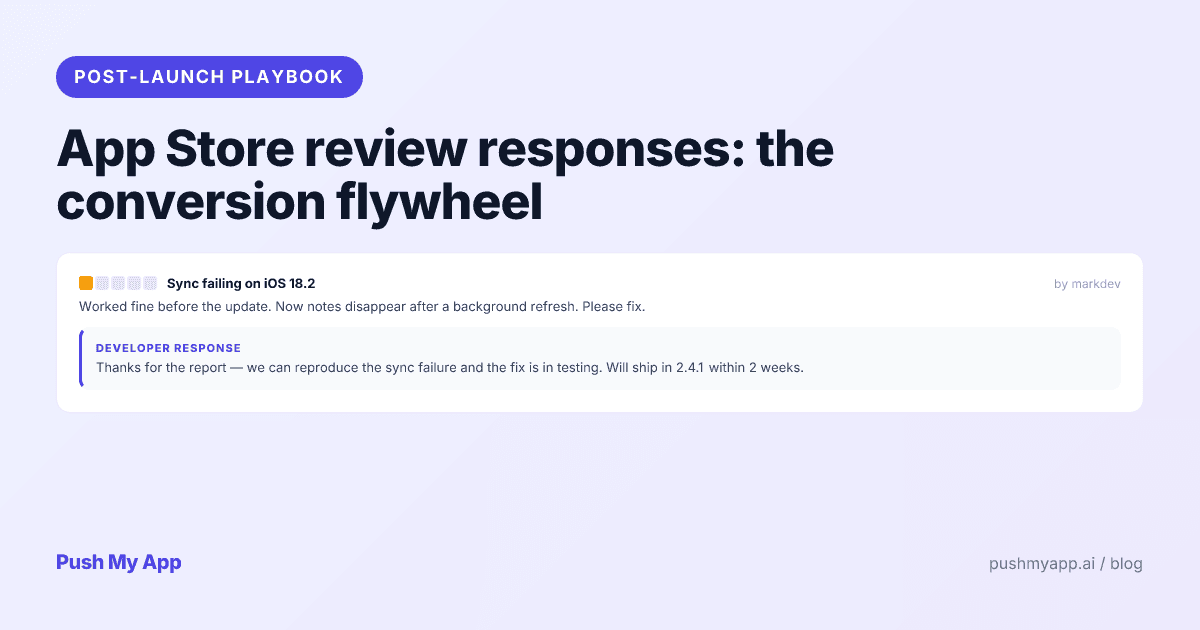
Reply to negative reviews fast. Developer responses render publicly on both stores, and prospective users read the recent ones. A specific, non-defensive reply within a day or two converts angry reviewers into updated ratings often enough to move your average — the review responses playbook is the indie-scale system for it.
Know the reset lever, and respect it. Apple lets you reset your summary rating when submitting a new version. It’s the right call exactly once per era — a rocky launch followed by a genuine fix — because the reset also discards the review volume that makes a rating credible. An app showing 4.8 across twelve ratings persuades nobody; recover by out-earning the old reviews, not by deleting them twice.
The flywheel: better ratings lift conversion, conversion lifts ranking, ranking lifts impressions, impressions produce more reviews. Year one of indie ASO is mostly the work of getting this loop to spin under its own power.
Step 6 — Launch and measure without paid analytics
Launch is a spike you aim, not a date you survive. Concentrated day-one installs read as relevance to both algorithms. The indie channels remain Product Hunt, Show HN, topic subreddits, and the indie corners of X — and which two of those carry your launch is unpredictable, so line up several. Mind the calendar gates first: Play’s 12-tester closed-testing requirement for new personal accounts makes Android the schedule’s long pole, per the beta testing guide.
Don’t pay to amplify a leaky funnel. Apple Ads can be rational for indies later — the Apple Ads guide covers when — but paid installs into a page that doesn’t convert is renting traffic you should have earned. Organic conversion first, amplification second.
The four numbers that matter
| Metric | What it tells you | Healthy indie signal |
|---|---|---|
| Impressions → page views | Keyword targeting works | Tap-through trending up after metadata changes |
| Page views → installs | Screenshots and copy work | Stable or rising conversion, category-relative |
| D1 retention | Onboarding works | Roughly a third of installs return next day |
| D7 retention | The core loop works | Double digits a week out |
Read territories, not just totals. Both consoles break the funnel out by country, and the splits are where decisions hide: strong impressions but weak conversion in one market usually means a localization gap; zero impressions in a market you localized means the keyword research didn’t transfer. Aggregate numbers average those stories away.
Weekly cadence, monthly iteration. Log the four numbers every Monday; act on trends, not single-week noise. Ship one deliberate metadata iteration roughly every 30 days — one variable per cycle, so the chart can tell you what worked — and remember each release also refreshes your What’s New surface and recency signals. Daily dashboard-watching is the most common way indies convert anxiety into wasted mornings.
The indie ASO mistakes that cost months
Keyword stuffing. The same term in title, subtitle, keywords, and opening line doesn’t rank four times — it wastes three slots and reads as spam to both algorithms and reviewers. One placement per term; let queries combine fields.
Borrowing competitor brands. High-volume, yes; also a guideline 5.2 / Impersonation violation that gets caught in review or — worse — after launch. The November 2025 guideline update made the copycat rules more explicit, not less. Compete on positioning.
Set-and-forget. The listing that never changes after launch day is how apps fossilize at a few hundred installs. ASO compounds through iteration cycles; no cycles, no compounding.
Thrash. The opposite failure: changing title, screenshots, and keywords in the same week, then divining meaning from the wreckage. One variable, one measurement window, one conclusion.
Rank-first thinking. Chasing the biggest keyword you could conceivably match instead of the most convertible keyword you can win. The stores weight conversion; pick fights where your specificity converts, and rank follows.
A 30-day ASO sprint plan for indie apps
Week 1 — Research and positioning
- Days 1–3: competitor sweep (top 30 titles and subtitles) plus autocomplete mining in both stores; long-list 15 candidate keywords.
- Day 4: cut to the three-keyword cluster against intent, difficulty, and the can-my-screenshots-prove-it test.
- Day 5: generate a first metadata draft (AI or by hand) and edit it against the cluster.
- Days 6–7: cool off, reread everything out loud, delete the marketing-speak.
Week 2 — Metadata and assets
- Days 8–9: finalize all six fields; validate with the counter.
- Days 10–12: design the first screenshot like it’s the whole listing — then the rest of the set.
- Day 13: icon pass — 40-pixel test, monochrome modes, every size exported via the resizer.
- Day 14: stage everything in both consoles; sweep the policy gates (age-rating questionnaire current, trader status for EU, privacy declarations consistent).
Week 3 — Localization
- Days 15–18: ship two or three starter locales — metadata rewritten, keywords re-researched per market, first screenshot overlay localized.
- Days 19–21: verify per-locale URLs and screenshots, then submit the full package for review.
Week 4 — Launch and baseline
- Days 22–24: clear review (reply same-day with evidence if a letter comes — the rejection index translates it), coordinate the launch spike.
- Days 25–28: log the four metrics daily this week only; watch which channels actually carried the launch.
- Days 29–30: write next month’s single iteration — whichever funnel stage the data says is weakest.
Run the sprint with the tools already built
Push My App bundles the playbook — AI metadata against every field limit, 14-language localization with per-locale keyword research, the Pre-Flight Scanner, and direct submission to both stores — into one dashboard. Start with the 9-minute preflight checklist and see pricing for plans.
Frequently asked questions
What is the difference between ASO and SEO?
SEO ranks pages on Google; ASO ranks apps inside the App Store and Google Play. The instincts transfer — keyword research, conversion copy, iteration — but the mechanics don't: ASO works inside hard character limits, against per-country search indexes, and with ranking signals like install conversion and retention that have no SEO equivalent. The biggest mindset shift for web people: on Apple, the description doesn't rank at all.
How long does ASO take to show results for a new app?
Ranking movement on a well-chosen keyword cluster typically shows inside 3 to 6 weeks, with install growth compounding over months two and three as conversion signals accumulate. The honest framing: ASO is a flywheel you spin up over a quarter, not a switch. If nothing has moved after 90 days, the usual culprit is keyword selection — terms too big to crack — rather than execution.
Can a solo developer do ASO with zero budget?
Yes — ASO is mostly research, writing, and disciplined measurement, all free. The native analytics in App Store Connect and Play Console cover everything you need into five figures of installs, and free tools handle the mechanical checks. Paid rank trackers earn their fee later, when you're managing dozens of keywords across multiple locales.
Is localization worth it for a small app?
It's the most underused lever in indie ASO. Store search is per-country, so an English-only app simply doesn't exist for most non-English queries — and most of your indie competitors are also English-only, so localized niches are far less contested. Done properly (keywords researched per market, not translated), a handful of strategic locales routinely produces the largest single jump in an indie app's install volume.
Do ratings really affect ranking, or just conversion?
Both. Stores use rating quality and recency as ranking inputs, and users use them as the deciding factor at the moment of install — which feeds conversion back into ranking. The compounding makes small differences expensive: an app sitting in the low fours converts measurably worse than one at four and a half, in the same category with the same screenshots.
Does Push My App replace a paid ASO platform for an indie?
For the build-and-ship side, yes: AI metadata generation against every field limit, 14-language localization with per-locale keyword research, asset resizing, an 80+ check pre-flight scan, and direct submission. What it doesn't try to be is a large-scale rank tracker — pair one of those on once your keyword set outgrows hand-tracking. The comparison pages cover the boundaries honestly.
Ship your listing without the rejection letter
Push My App generates store-ready metadata, resizes screenshots for every device, translates your listing into 14 languages, and runs an 80+ item rejection pre-flight before you submit.
Get Started FreeKeep reading

ASO Guides
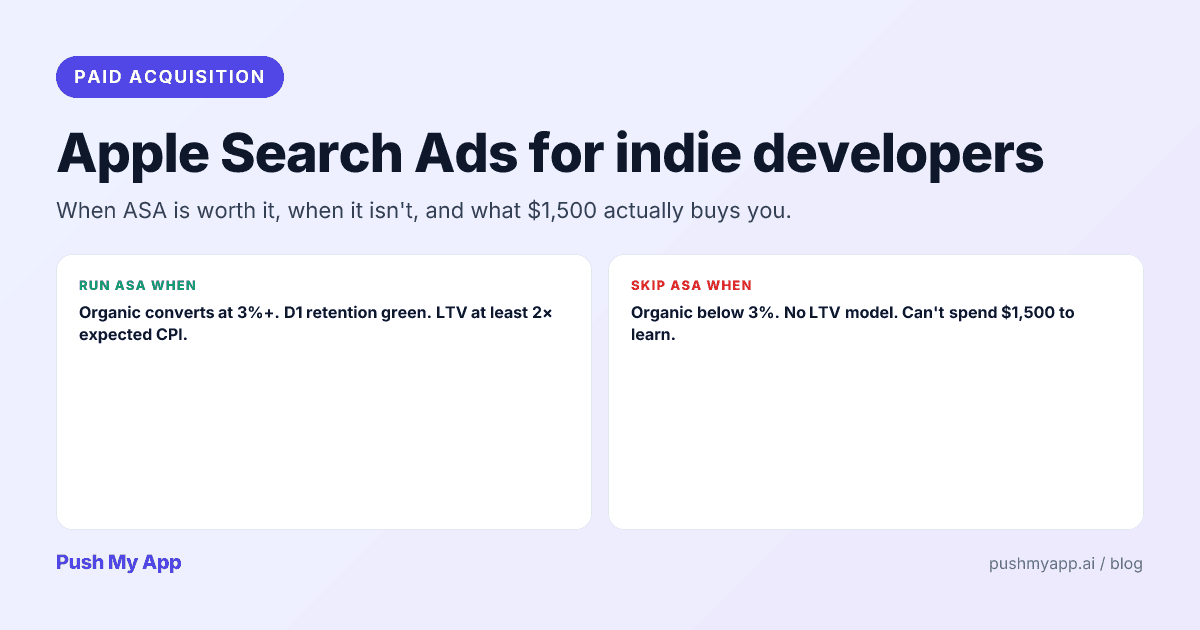
Apple Search Ads for Indie Developers: When It's Worth It (and When It Isn't)
Apple Search Ads is now Apple Ads, with four placements and the same indie question: is it worth your money yet? The readiness gate, real learning costs, and the five keywords worth bidding on.
Read

ASO Guides
App Store Review Responses: The Conversion Flywheel Nobody Owns
Developer responses render publicly next to every review — which makes them conversion copy. Reply templates for the five review types, the 48-hour window, Play's reply mechanics, and a sustainable cadence.
Read

ASO Guides
App Store vs Google Play: Side-by-Side Listing Requirements (2026)
Every App Store and Google Play listing requirement compared for 2026 — metadata limits, assets, privacy forms, SDK floors, review gates, trader status, and account rules.
Read